Running a competition timer
The Competition Timer runs a shooting detail the way a match does: a prep countdown to get ready, a fixed round length, and unmistakable signals for start and stop. Set it once, save it, and reuse it every range trip.
Round settings
A round is defined by two numbers. Set them, then press Go.
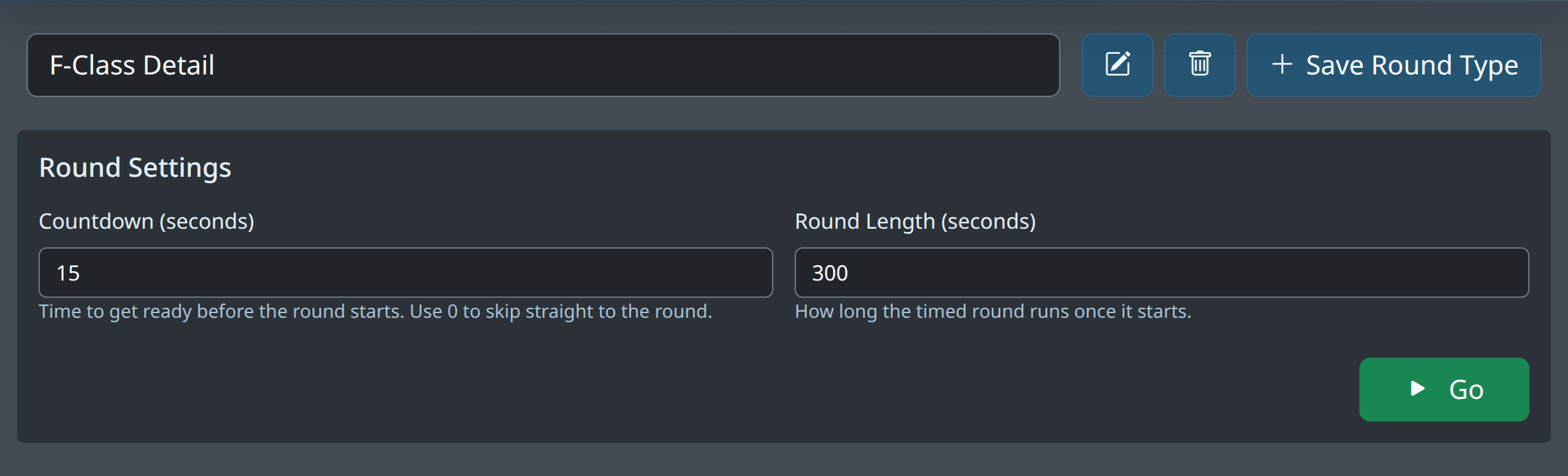
| Countdown (seconds) | The “get ready” period before the timed round starts — time to get into position and settle. Set it to 0 to skip straight to the round. Maximum 5 minutes. |
|---|---|
| Round Length (seconds) | How long the timed round runs once it begins. Maximum 60 minutes. |
| Start signal / Stop signal | Pick the sound played when the round starts and when it ends from a small library — a low race-starter beep, a low buzz, a buzzer, an air horn, a bell and more — or choose No sound. Selecting an option plays it so you can hear the choice. Your picks are remembered on the device. |
The three phases
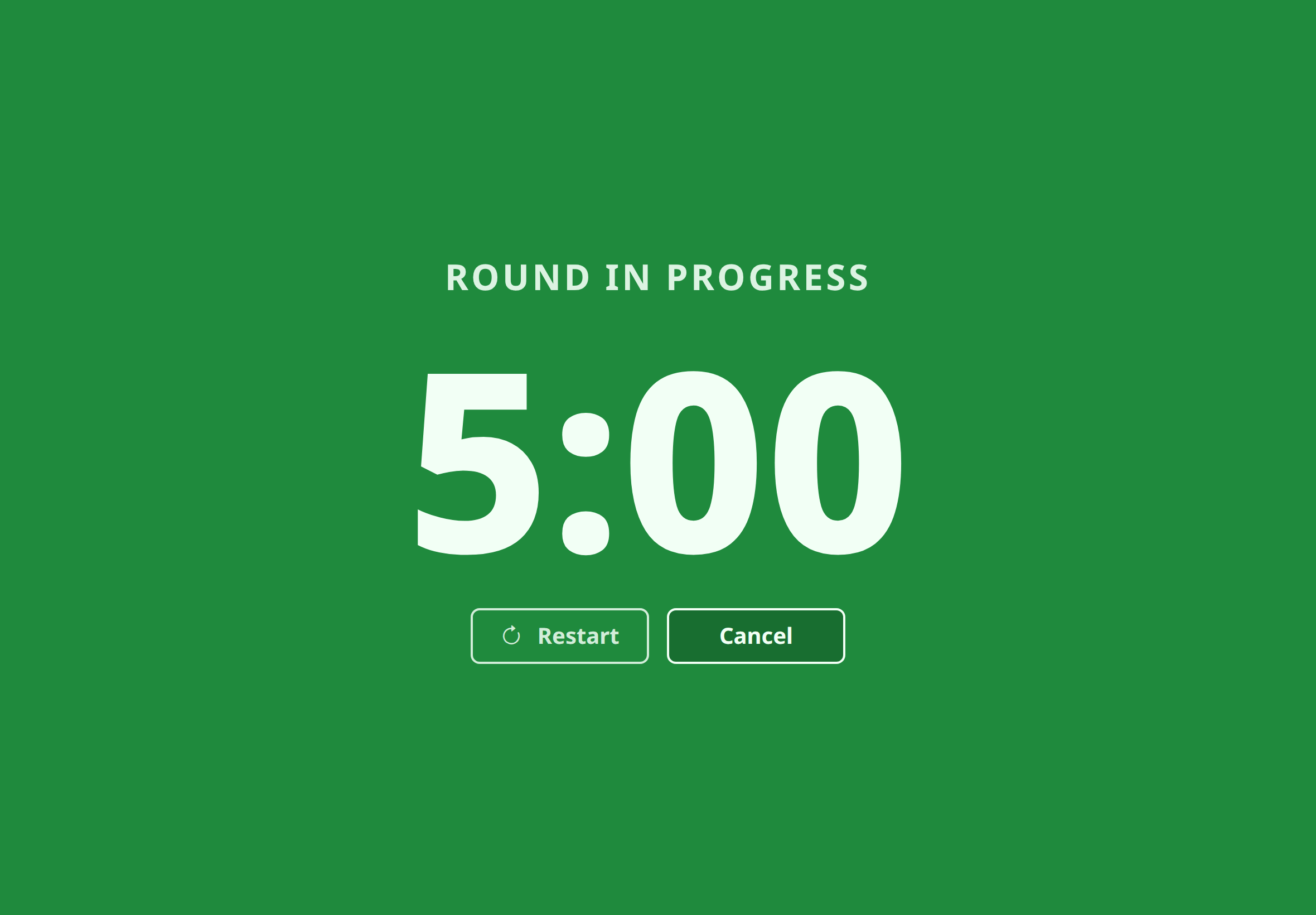
When you press Go the timer takes over the whole screen so it reads clearly from the firing point, and each phase has its own colour and sound:
| Get Ready (yellow) | The prep countdown. Silent — it just counts down to the start. |
|---|---|
| Round In Progress (green) | The start signal — a rising double-beep by default — marks the start. The clock counts the round down to zero. |
| Time (red) | The stop signal — a descending buzzer by default — marks the end. The clock holds at 0:00 until you leave the screen. |
Buttons on the timer screen
- Restart — jump straight back to the beginning of the countdown.
- Cancel / Done — leave the timer and return to the setup screen. The button reads Cancel during a countdown or round and Done once the round has ended.
The clock runs off your device’s wall clock, not a counter that can drift, so the round still ends at the right moment even if the browser throttles the tab in the background. While a round is active the timer also holds a screen wake-lock, so the display won’t sleep mid-detail.
Saved round types
Most shooters run the same few formats over and over. Save each one so it is a single tap next time:
- Set the countdown and round length, then Save Round Type and give it a name — F-Class detail, Practice par 30s, Stage time limit.
- Choose any saved type from the dropdown to load its settings.
- Use the pencil and trash buttons next to the dropdown to rename or delete the selected type.
- While a saved type is selected, changing either number updates that saved type immediately — there is no separate save step.
Saved round types are stored in your browser. They are included in the app’s optional Google Drive sync and in the backup and restore tools in Settings .
If you can’t hear the signals
Browsers only allow a page to play sound after you have interacted with it, so the first press of Go is what unlocks the timer’s audio for the visit. If the beep and buzzer never play, check that your device isn’t muted and that you have pressed Go at least once since the page loaded. The colour changes work regardless, and you can set either signal to No sound if you only want the visual cue.
Typical uses
- Timing an F-Class or benchrest detail to its published time limit.
- Practice drills against a par time — draw-and-fire, bolt manipulation, position changes.
- Dry-fire training on a shot clock.
- Any stage or string with a fixed exposure or time limit.