Printable target sheets
The Targets page builds clean, true-to-size target sheets you can print at home — practice grids, bench-rest cards, zeroing diamonds, and life-size quarry reference targets.
Build a sheet
Open Targets , adjust the settings, and the preview updates live. When it looks right, hit Print.
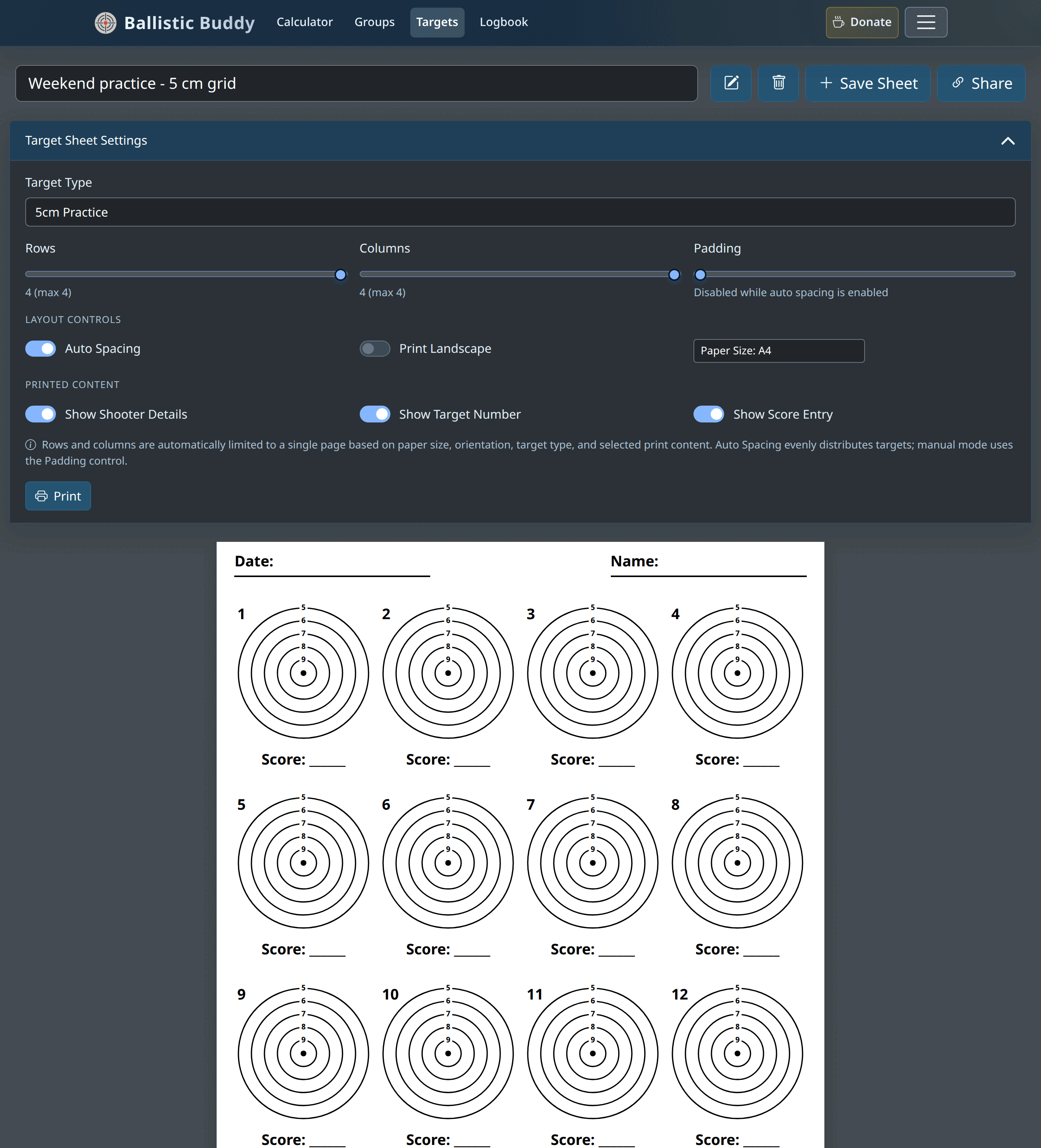
Target Type
| 14 cm Practice | Large ringed target for general practice and plinking at shorter distances. |
|---|---|
| 5 cm Practice | Small ringed target — fits many to a page for grouping drills and dot torture-style practice. |
| Bench Rest | Compact 34 mm aiming mark designed for precision bench work, where you want a defined point of aim and lots of targets per sheet. |
| Zeroing Diamond (Mil) | 100 mm diamond aiming mark on a 1 cm grid (0.1 mil per square at 100 m) for sighting in. The grid lines run across the diamond so the exact point of aim stays visible under crosshairs. |
| Zeroing Diamond (MOA) | 4-inch diamond aiming mark on a 1 inch grid (roughly 1 MOA per square at 100 yards) with a faint ¼ inch sub-grid for counting clicks on ¼ MOA scopes. |
| Zeroing Diamond Large (Mil / MOA) | 20 cm and 8-inch versions of the zeroing cards with four extra smaller diamonds towards the corners, so one sheet gives you five aiming points. They fit A4, Letter or A3 paper; A5 is too small. |
| Black & White | Shown for the zeroing targets. Switches the diamonds from red to solid black, with white centre lines — use it on a mono printer, or when black contrasts better with your reticle. |
| Rabbit / Squirrel / Pigeon | Greyscale reference photos, killzone at roughly life size — for airgun hunters practising range judging and shot placement on the real kill zone. |
Layout
| Rows & Columns | How many targets to place. The sliders are capped so everything fits on one page — the maximum changes with target type, paper size, orientation and which extra fields you show. |
|---|---|
| Auto Spacing | On by default — spreads the targets evenly across the page. Turn it off to control the gap yourself with the Padding slider. |
| Paper Size | A5, A4, A3 or US Letter. Match this to the paper in your printer. |
| Print Landscape | Rotates the page. Useful for wide grids of small targets. |
Printed content
- Show Shooter Details — adds Date and Name lines across the top of the sheet.
- Show Target Number — numbers each target so you can note which is which.
- Show Score Entry — adds a Score: line under every target.
Each of these takes up page space, so switching one on may reduce the maximum rows or columns.
Printing at true size
The sheets are drawn to real-world dimensions, and the app sets the page size for you. In your browser’s print dialog, set Scale to 100% (not “Fit to page”) and margins to None / Default so a 5 cm target prints at 5 cm. Check the first one with a ruler before you run off a stack.
Saving and sharing
- Save Sheet names and stores the configuration in your browser for next time.
- Share creates a link that reproduces the exact sheet on another device.