Keeping a range logbook
The Logbook ties a range day together: what you shot, how fast it went, what the wind did, and which range card and group each string belongs to.
Sessions and strings
A session is one range day. Inside it are strings — each string is one set of shots fired under one set of conditions (a chronograph string, a group at a given distance, a load in a ladder test).
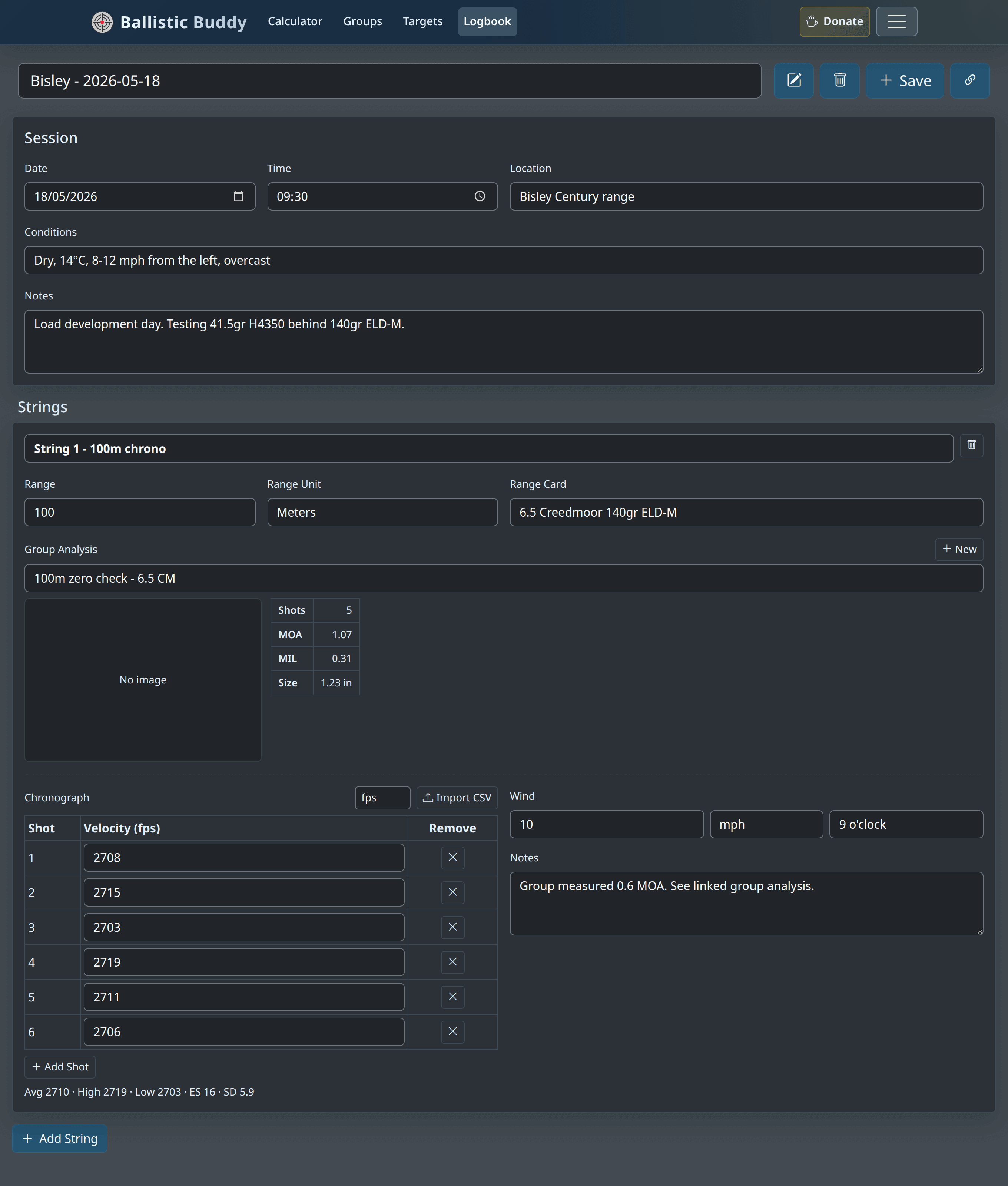
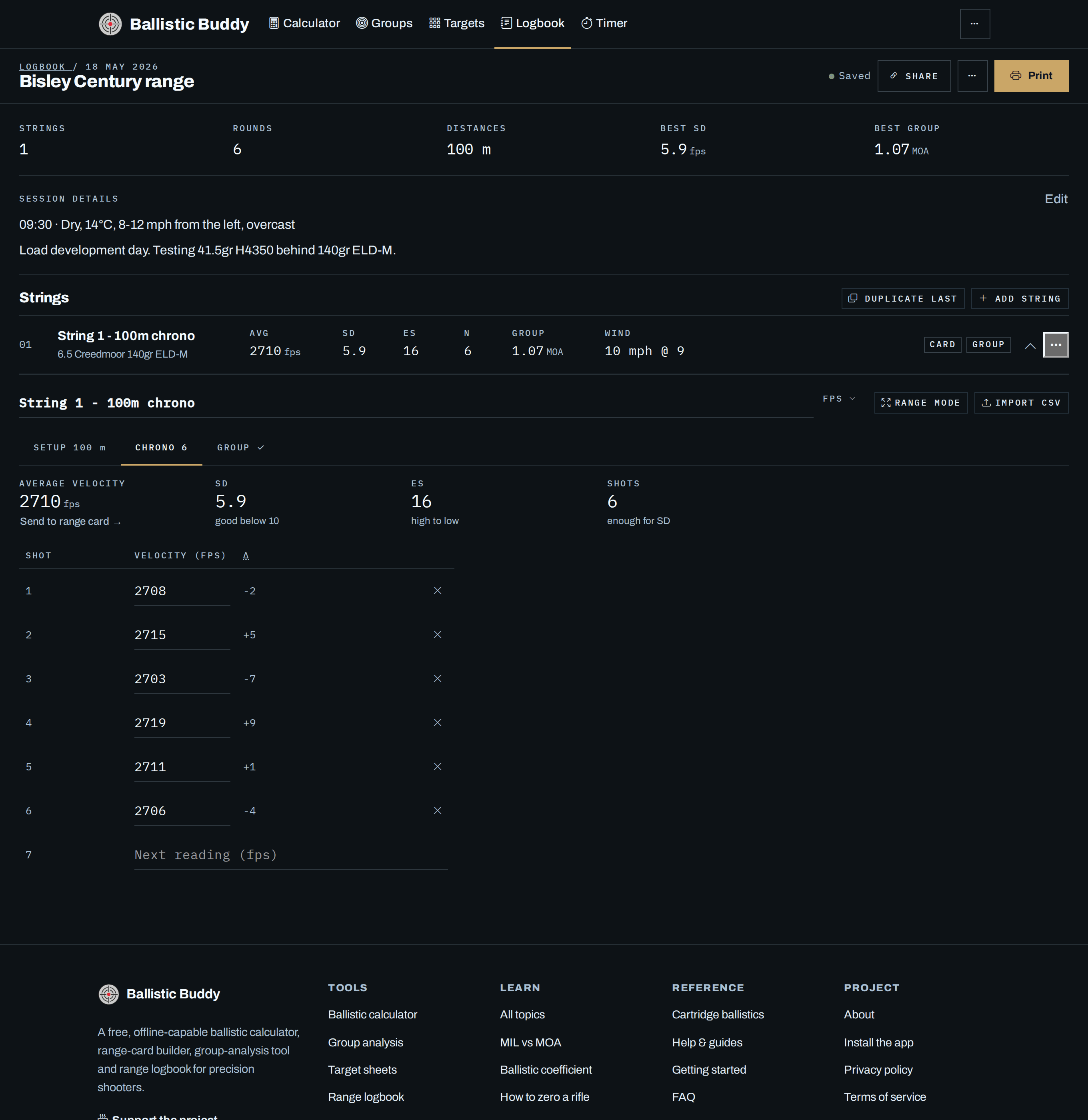
A session opens with a summary across the top — strings, rounds, distances, best SD and best group — then its details as text (press Edit to change them), then one line per string with its average, SD, ES, shot count, group and wind. Press a string’s line to open it. Duplicate last adds a copy of the last string’s setup (card, range, units and wind, without its readings), which is the quick way to enter each step of a ladder. Each row’s … menu duplicates or deletes that string; a deleted string can be brought back from the Undo that appears for a few seconds afterwards.
Once one load (that is, one linked range card) has three or more range days behind it, the Logbook page shows its trend: the best standard deviation from each of those sessions, oldest to newest, and the string that shot the lowest SD of them all. A line falling to the right is a load settling down.
Keyboard: n starts a string, esc collapses the open ones, and / jumps to the search box on the Logbook page.
Session fields
| Date & Time | When you shot. Used to order sessions and stamp any group analyses you create from a string. |
|---|---|
| Location | Range name. Also used as the label for groups created from this session. |
| Conditions | Free text for the day — temperature, cloud, light, general wind picture. |
| Notes | Anything session-wide: rifle, load being tested, what you were trying to learn. |
Inside a string
An open string holds three tabs, because most range days only use one or two of them:
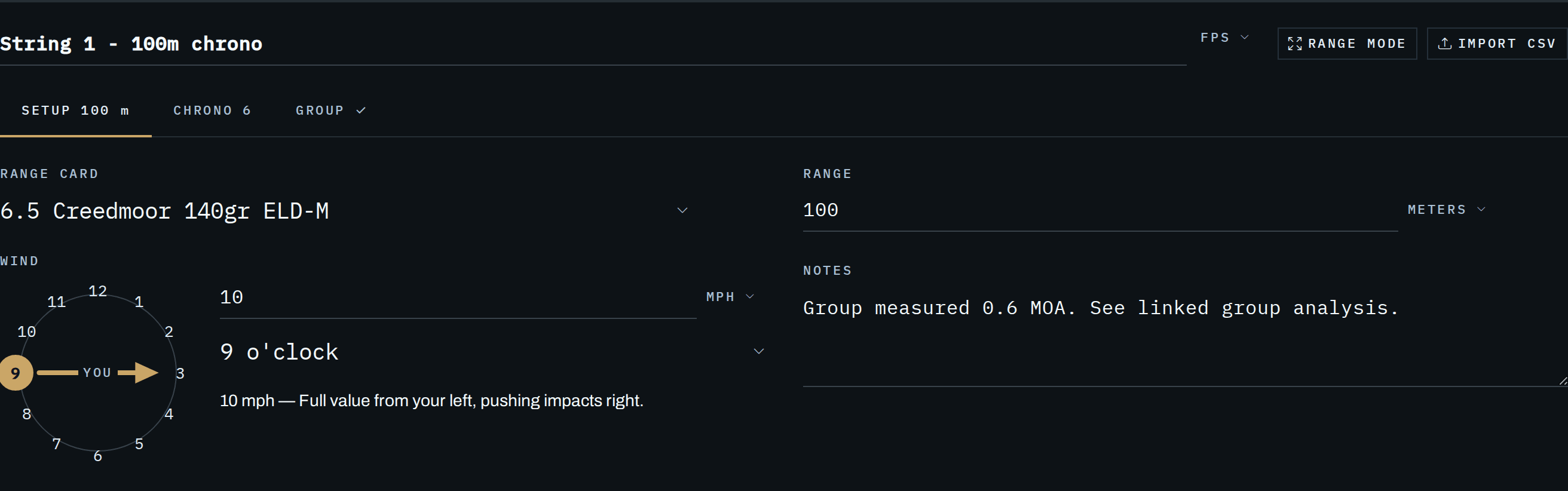
- Setup — the range card, the distance, the wind and any notes. A string with nothing recorded yet opens here.
- Chrono — the figures and the chronograph readings.
- Group — the linked group analysis and its preview.
Each tab says what it holds — the distance, the number of readings, a tick when a group is linked — and the string’s own line above the tabs keeps showing its average, SD, ES, shot count, group size and wind, so you can read a string without opening any of them.
On the Chrono tab the figures sit above the readings — average velocity, SD, ES and shot count — so they stay in view while you add readings on a phone. Type a reading into the last row and press Enter to add it; the row keeps focus, so six shots are six numbers and six taps. The Δ column shows each reading’s distance from the average and highlights an outlier. Removing a reading can be undone.
Range mode, in the string’s header beside Import CSV, fills the screen for use on the firing point: one large readout, the live average, SD and ES, a keypad big enough for gloved thumbs, and undo. It keeps the screen awake while it is open and lets go the moment you close it. If you would rather type, Type instead swaps the keypad for a plain field.
Send to range card, under the average velocity, writes that average into the linked range card’s muzzle velocity — the figure this logbook exists to feed — and then offers to true that card against your drops. If the card already holds a different velocity it shows you both numbers and asks first.
Wind, on the Setup tab, is a speed and a clock position on the dial. Choose the hour the wind is coming from and an arrow is drawn across the dial in the direction it blows, with the line beneath spelling the same thing out: a nine o’clock wind is a full-value wind from your left, pushing your impacts right.
Range and linked data
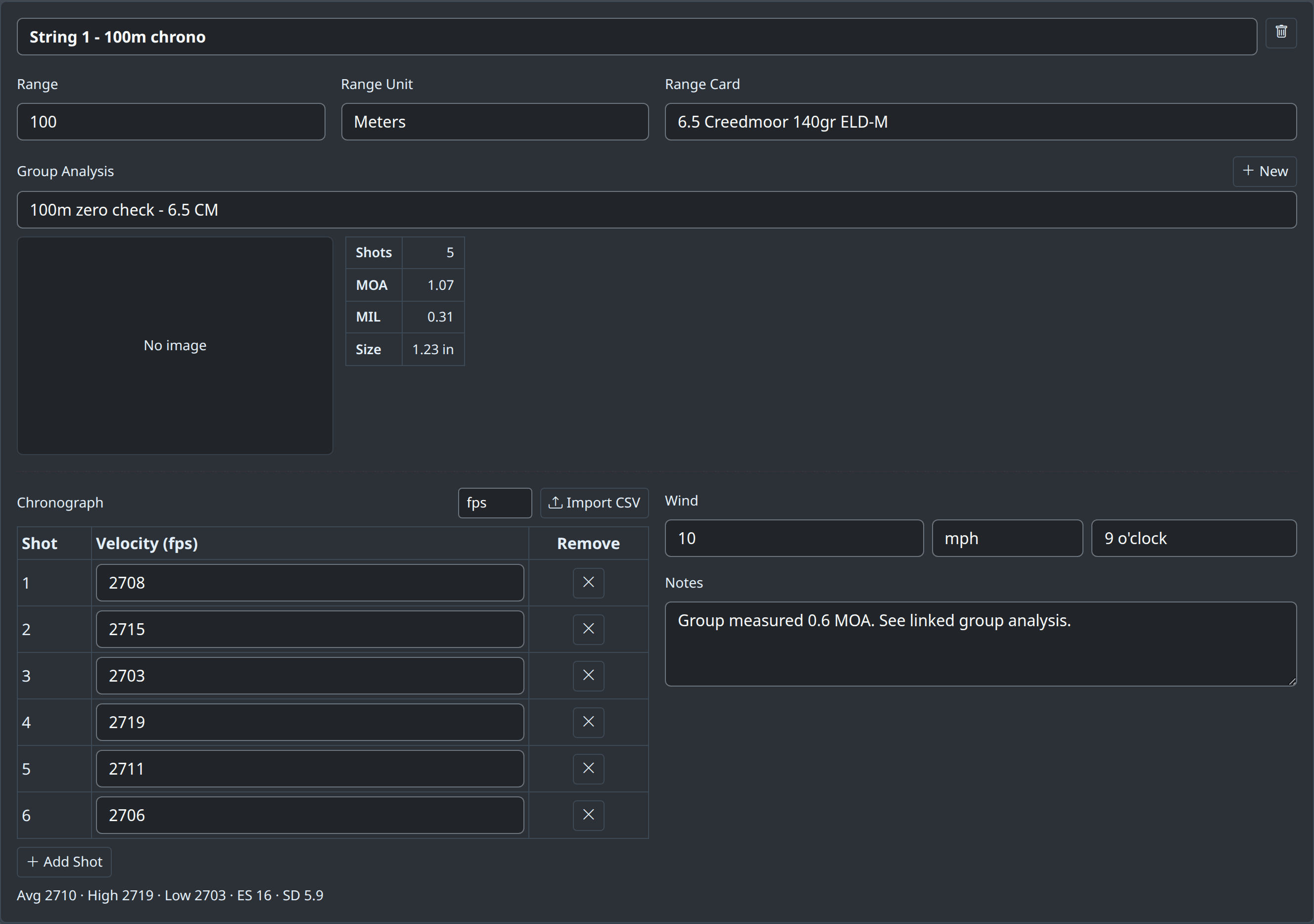
- Range — the distance for this string.
- Range Card — link a saved card so you know exactly which dope this string was fired on. The velocity you record here is the ideal input for truing that card later.
- Group Analysis — link an existing saved group, or hit New to open a quick group analysis pre-filled with this string’s calibre, range and date.
Chronograph
Type readings into the row at the bottom of the list, one after another, or Import CSV to pull a whole string from most chronograph exports (it auto-detects the velocity column). Set the velocity unit, beside Range mode, to match your device. The figures update live:
| Avg | Mean velocity — the figure your range card wants as its muzzle velocity. Send to range card, under it, writes it there for you. |
|---|---|
| ES (Extreme Spread) | The fastest shot minus the slowest. Simple, but driven entirely by those two, so it grows as you add shots. |
| SD (Standard Deviation) | Sample (n−1) standard deviation of the string — the better measure of consistency. Lower is better; single digits (fps) is very good. High SD shows up as vertical dispersion at distance, so it caps your realistic long-range accuracy. |
How many shots? SD needs a reasonable sample to mean anything — 5 is a minimum, 10 or more is meaningfully better. A “good SD” from a 3-shot string is mostly luck.
Wind
Record the wind speed, its unit, and its direction as a clock face relative to your line to the target:
| 12 o’clock | Straight headwind (blowing from the target toward you). Minimal horizontal effect. |
|---|---|
| 3 o’clock | Full-value wind from your right, pushing impacts left. |
| 6 o’clock | Straight tailwind from behind you. |
| 9 o’clock | Full-value wind from your left, pushing impacts right. |
Logging this next to the group means that when you review the session you can tell a wind call apart from a genuine zero shift.
Saving and sharing
- Start a session on the Logbook page and it is saved in your browser from that moment; every edit saves as you make it, and the header shows when it last saved (or says so if the browser refused the write). All your sessions are listed on the Logbook page, newest first, with each one’s round count, best SD and best group.
- Share creates a link containing the whole session — strings, chronograph data and all.
- Duplicate as new session (in the … menu) starts today’s session with the same location, conditions and string setup, ready for new readings.
- Export CSV (in the same menu) downloads every chronograph reading with its string, range, card and wind, one row per shot.
- Print puts the session on one sheet — the details, then a row per string with its chronograph figures, group and wind — in the same monochrome treatment as a printed range card, so the two sit together in a folder.
- Sessions, cards and groups can also ride along with the app’s optional Google Drive sync and the backup/restore tools in Settings.
A practical loop
- Build a range card from book data before the range day.
- On the day, log a chronograph string and link it to that card.
- Shoot groups at distance; capture each with group analysis and link them to their strings.
- At home, put the measured Avg velocity into the card and true the BC against your recorded drops.
- Next session, confirm the trued card — and log that too.